- Published on
Git Hour Tracking
- Authors

- Name
- Kevin van Zonneveld
- @kvz
Recently I was asked to estimate how many hours I worked on a project. Since I hadn't really tracked them I decided to use the Git history to get an indication.
It turned out it was trickier than I thought to wrestle git log into producing a list that was somewhat useful, but here is a screen of what i ended up with:
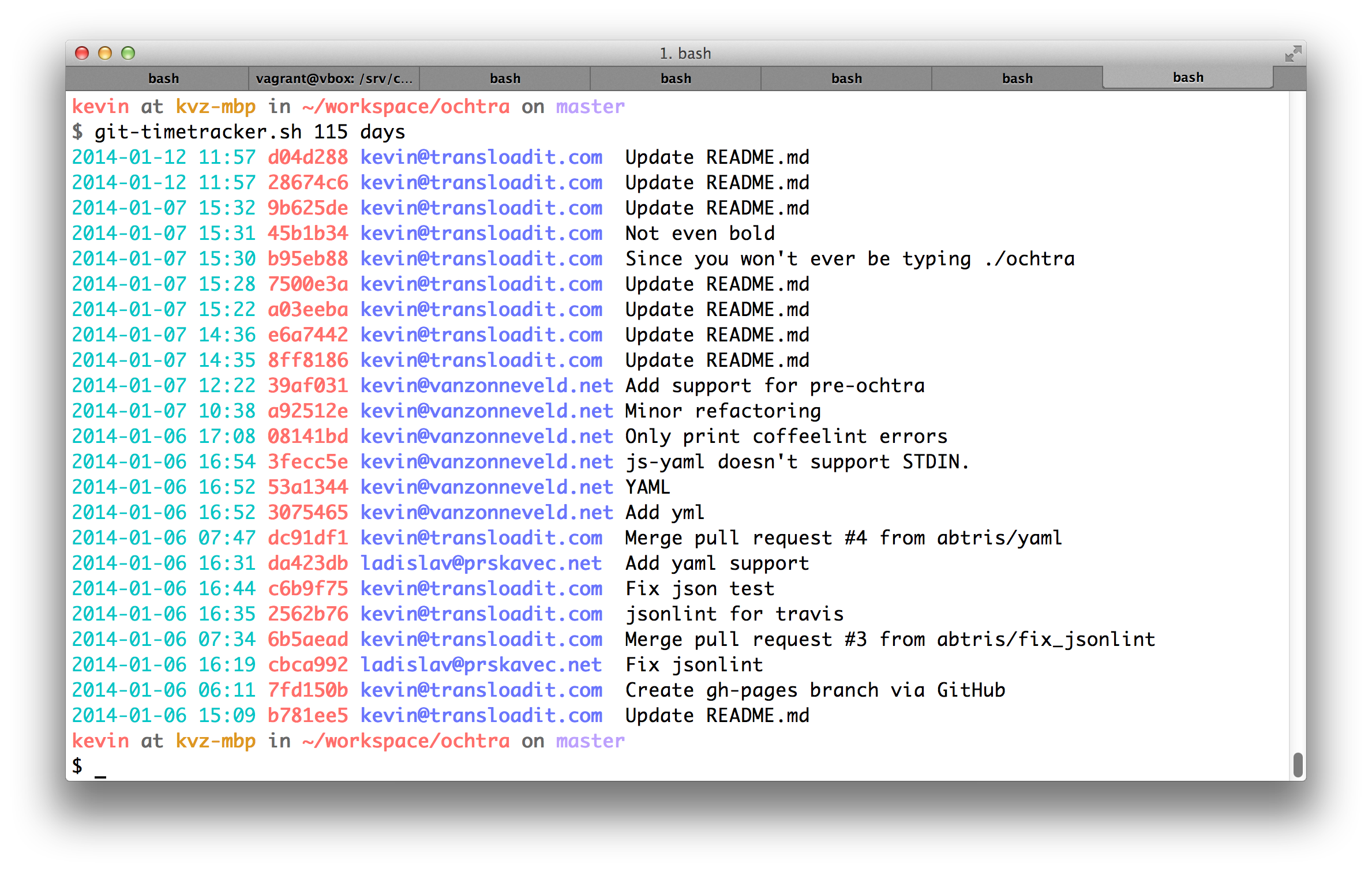
This list makes it pretty easy to filter by author with |grep kevin, to only show what days I worked and what times I left (|sort -uk1,1) and how early I started (|tail -r |sort -uk1,1), or copy to a spreadsheet editor for further processing.
Here is the Git log command I used to produce the list:
git --no-pager log \
  --date=iso \
  --since="2 months" \
  --date-order \
  --full-history \
  --all \
  --pretty=tformat:"%C(cyan)%ad%x08%x08%x08%x08%x08%x08%x08%x08%x08 %C(bold red)%h %C(bold blue)%<(22)%ae %C(reset)%s"
Since we can't use a custom dateformat but really want to, the hack is to use ISO format (which comes closest to what we want), and add backspace characters (
%x08). I stole that from stackoverflow.
I saved this to a file in my $PATH so now in any repository I could type:
git-timetracker.sh 2 years
I also tried making a Git alias in my ~/.gitconfig (not just calling the .sh script) but it was too damn hard :) Maybe you want to take a stab at it, I'm welcoming improvements!
Legacy Comments (4)
These comments were imported from the previous blog system (Disqus).


I would need to compare it but looks good! Pretty safe to assume this ruby project will have more advanced features than my line of bash, thanks!

I made a git-hours just for this. Check it out: https://github.com/kimmobru...
Very cool!